Processing Log
The Processing Log view provides a chronological list of logs that have been emitted while processing the received data from your project.
This tabular view is useful when troubleshooting your integration with the Memfault SDK, especially for cases where data is uploaded by the SDK, but not processed by the web app.
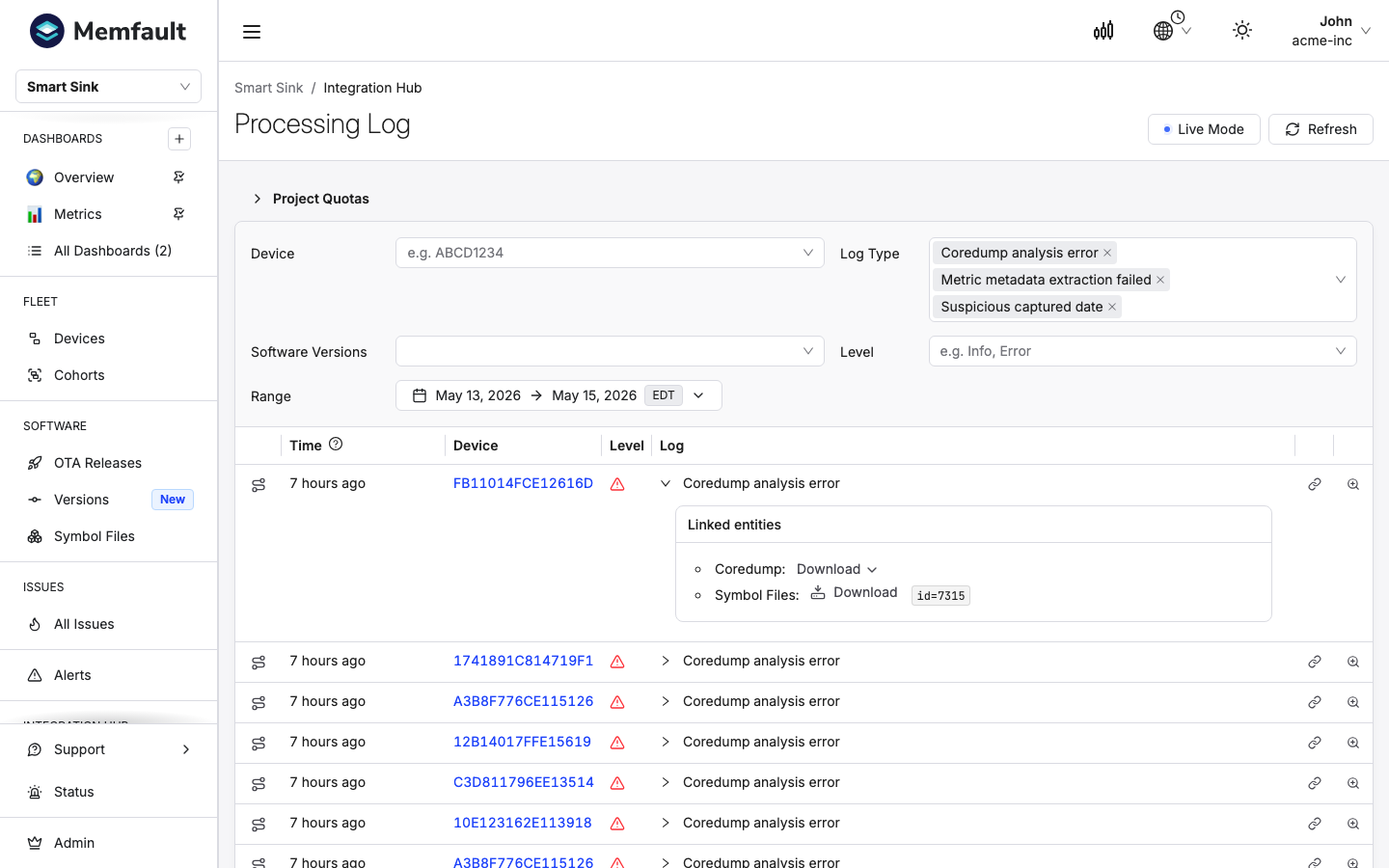
Filtering logs
Filter logs by date range, device serial, software version, log type, and log level using the controls in the panel above the table. These are pre-populated with the current project's devices and log types, and the default date range is the last three days. The active filter parameters are stored in the URL so you can bookmark and share them.
Viewing log details
Each row in the table gives a one-line summary of the log. To view more details, expand the row. Depending on the type of log, more details may be available.
For example, the details may show the following:
- an explanation of the log. In case of an error, it may suggest next steps,
- parameters pertinent to the log (for example, for a "Rate limit exceeded" error, the applicable limits at the time of the error are shown), and
- additional context and links to documentation.
Low-level Metadata Inspector
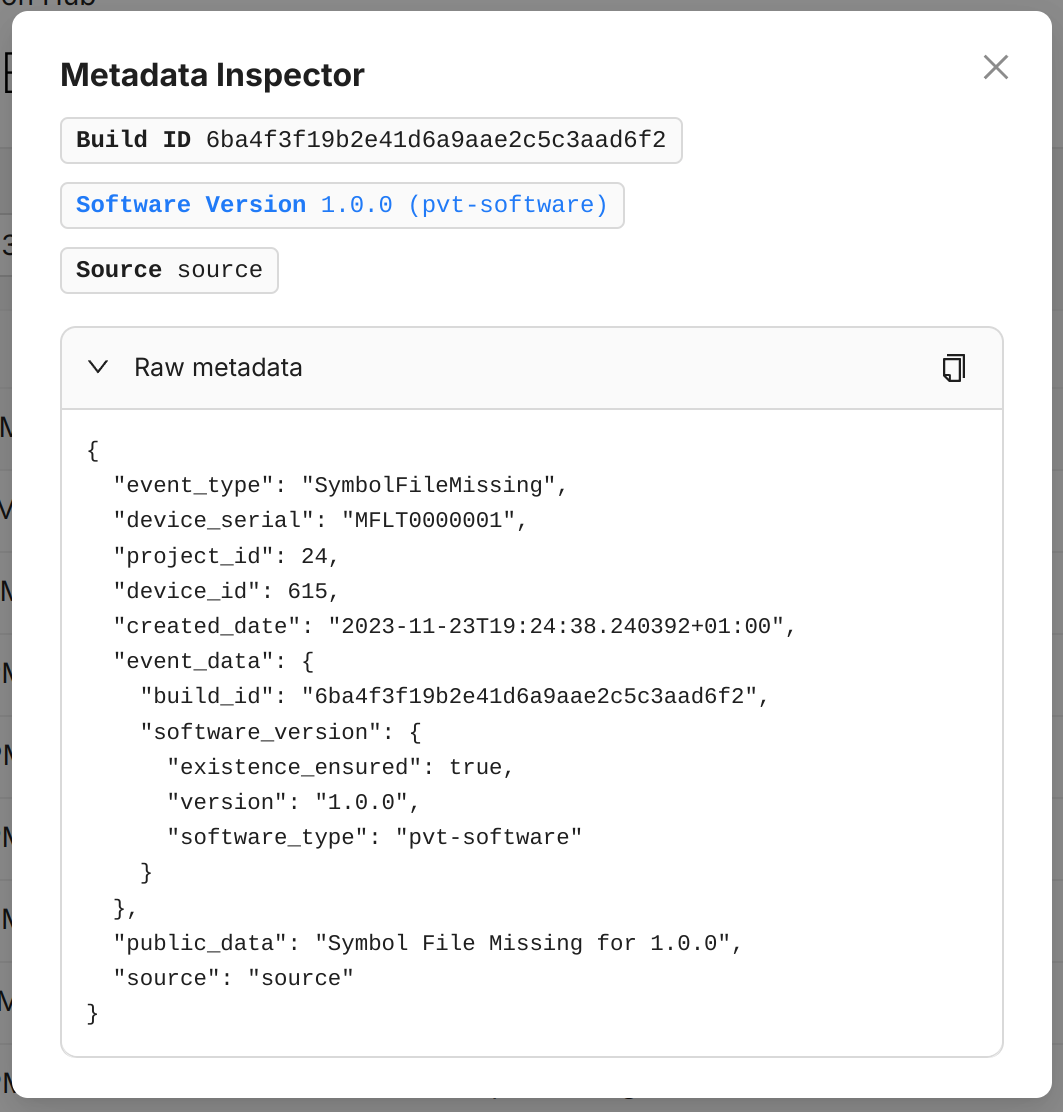
When the details don't provide enough insight, look at the low-level metadata attached to the log. The Metadata Inspector is intended for Memfault employees to help with debugging, but customers can use it too.
To open the Metadata Inspector for a log, click the magnifying glass icon on the far right of the row.
Focus transaction
Each log has a "focus transaction" button on the far left of the row:

Click this button to filter the table to logs from the same transaction. All logs from a single data upload share a transaction ID, so the filter helps you find related logs when troubleshooting an error.
While the transaction filter is active, the other filters are temporarily disabled until you remove it.
Limits
- Logs expire after 60 days.
- Temporary file attachments are only kept in case they failed to process and expire after 7 days.
- Filtering can only be done by date, device serial, software version, log type, and log level.
- Not all logs carry software version metadata. When the software version filter is active, logs without that metadata are excluded from the results.
- The maximum number of returned logs is 500. Use a date range to narrow results when the volume of logs is high.